


ASMR keyboard sounds: compare the switch styles
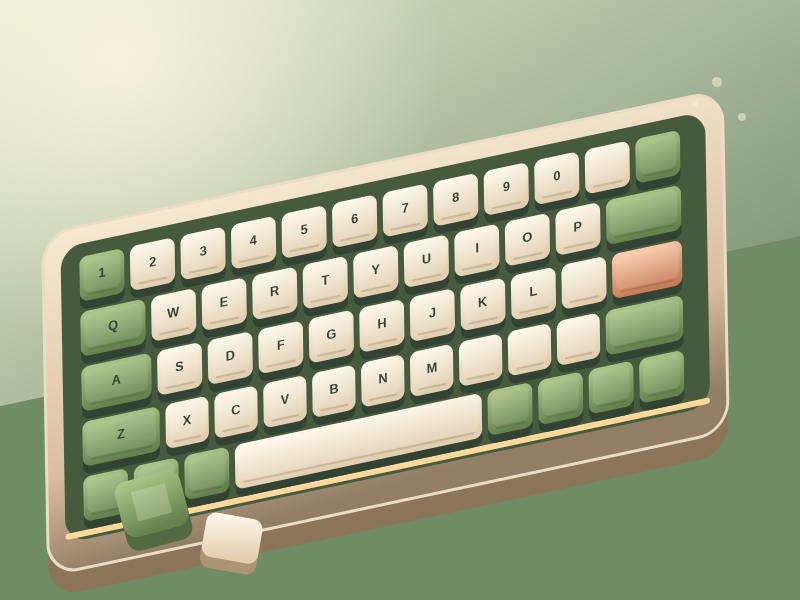
An ASMR keyboard is a little sound playground for people who enjoy the rhythm of pressing keys. In the 3D mechanical keyboard simulator, you can create that rhythm yourself rather than listen to a fixed recording. Every supported key responds to your input, and the monitor lets you see what you are typing. There is no typing exam, required speed or level to complete. Try one letter repeatedly, alternate between two keys, or type a short sentence to hear the rhythm change.
Linear: smooth, short sounds
A linear mechanical switch has a relatively smooth travel in a real keyboard, without a deliberate tactile bump. Our Linear sound profile is designed around a short, rounded impact rather than a sharp click. Select it if you prefer a steady rhythm with less high-frequency emphasis. Compare several letter keys, then tap Space or Enter to hear how the wider-key simulation differs. The virtual keyboard cannot reproduce physical switch resistance, so the comparison is about its sound, not actual typing feel.
Tactile: a more textured tap
Real tactile switches have a noticeable bump during their travel. The simulator represents the character with a moderately bright, textured impact. Tactile is a useful middle ground if Linear feels too soft and Clicky too sharp. Try alternating two adjacent letters, then change the case theme while keeping the switch profile the same. The resulting differences help you hear the effect of the simulated keyboard body separately from the selected switch.
Clicky: a bright, distinct click
Choose Clicky for the most clearly pronounced high-frequency attack among the standard profiles. It is intended for players who enjoy a recognizable click with each keystroke. Short sequences of keys make it easier to compare the attack and release sounds. Use a comfortable volume, particularly with headphones; a brighter sound can feel louder even at the same slider setting. The simulated click is inspired by mechanical switches, not copied from a particular manufacturer's product.
Thocky and Silent: deeper or softer alternatives
Thocky emphasizes lower frequencies and a longer impact decay for a more rounded sound. Forest Cottage is a good starting theme for this character. Silent reduces the noise burst and impact intensity; it is useful if you prefer a gentler keyboard rhythm. The separate Sound character choices let you adjust the presentation further: Deep lowers pitch, Crisp raises it, and Soft reduces intensity. These are creative presets rather than standardized measurements of physical keyboards.
How mechanical keyboard ASMR is generated
The simulator uses the browser's Web Audio API. When a key is pressed, the code creates a short noise burst, passes it through a low-pass filter, and adds brief oscillator tones with fading envelopes. Key release produces a quieter variation. Six keyboard designs also apply different frequency, duration, gain and resonance parameters, which give the same switch a different character in a brick, acrylic, collector, forest, pastel or matcha case.
This means the audio is generated in real time. You are not playing a prerecorded typing loop or listening to samples captured from a branded switch. Small variations in pitch and volume make successive taps less identical. Space, Enter, Backspace and Shift receive a lower pitch adjustment to imitate a broader keycap. Actual mechanical keyboards vary with their plate, mounting, lubrication and keycap materials, so compare real recordings if you are shopping for hardware.
How to use the ASMR keyboard on a phone or computer
- Open the keyboard game and choose a design from the theme gallery.
- On a computer, focus the game and press your supported physical keys. On a phone or tablet, tap the virtual keycaps.
- If the browser blocks automatic audio, tap a key or use Listen to demo to resume playback. Check the Sound on button and the volume slider.
- Choose Linear, Tactile, Clicky, Thocky or Silent. Try a short sequence of keys before selecting another profile.
- Use Fullscreen for the desk and monitor without the surrounding settings. Open Settings when you want to adjust the view or sound.
If WebGL cannot load, the game provides a 2D interactive keyboard. Browsers that do not support native element fullscreen use an expanded in-page mode instead. Phone browser controls may remain visible.
Adjust the volume and build a comfortable typing session
Start with a low volume, especially with headphones. Try the same simple pattern with two sound profiles before changing another setting. You can mute the simulator whenever you prefer its visual animations without sound. Your audio and appearance preferences may be stored locally, but your typed text is kept only in the current page session. The simulator is designed for entertainment and personal sound exploration, not treatment for sleep or anxiety.
For different interactive rhythms, browse squishy and Pop It games or return to all free ASMR games.
Frequently asked questions
What is an ASMR keyboard simulator?
It is an interactive typing toy that generates mechanical-switch-inspired sounds whenever you press and release supported keys. There is no typing speed target or score to beat.
Can I hear a clicky keyboard without owning one?
Yes. Choose Clicky in our 3D simulator and tap virtual keys or use your physical keyboard. The sound is synthesized and is not a recording of a specific commercial keyboard.
Which keyboard sound is quietest?
Silent is designed for the lowest intensity. Reduce volume and choose Soft for an even gentler simulated sound.
Why is there no sound on my iPhone or Android phone?
Tap a virtual key or Listen to demo to allow browser audio, check Sound on and raise the volume slider. Device volume and silent-mode behavior can also affect output.
Does changing the keyboard design change the sound?
Yes. Six designs have different synthesized case resonance parameters and matching default switch choices. You can override the switch in Settings.
Can I type real words in the game?
Yes. Supported character keys appear on the 3D monitor and typing strip. The text is kept only in the current page session; Clear removes it.